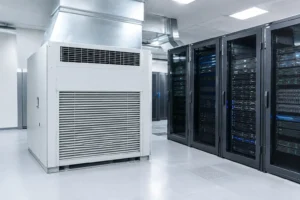
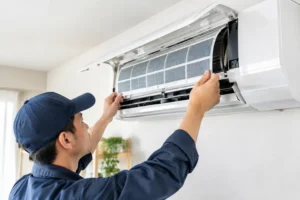
A server room can appear perfectly acceptable until a warm afternoon, a failed fan or a new rack pushes it beyond its cooling limit. Aircon upgrades for server rooms are not simply about making the room colder. They are about protecting business-critical equipment, maintaining stable operating conditions and preventing a small cooling fault from becoming disruptive downtime.
For businesses across Essex, the right upgrade starts with an honest assessment of the room, the equipment within it and how much future capacity is needed. A domestic-style unit installed years ago may still run, but that does not mean it is suitable for the heat load, duty cycle or resilience a server room now requires.
When does a server room need an aircon upgrade?
Heat is the most obvious warning sign, but it is rarely the only one. If the air conditioning runs constantly, struggles to bring the temperature down after a warm day, or produces uneven temperatures around the room, it is worth arranging a professional survey. Hot spots near racks, ceiling voids or network cabinets can place individual items of equipment under strain even where the wall controller shows an acceptable average temperature.
Frequent callouts are another concern. Repeated repairs can keep an ageing system operating in the short term, but they may not address declining capacity, poor airflow or obsolete components. At some point, paying for more repairs costs more than installing an efficient, correctly specified replacement.
An upgrade should also be considered when the IT load changes. Adding servers, storage, UPS equipment or communications hardware increases heat output. What was a suitable system for a lightly used comms room may be undersized once the space supports a growing business, remote workforce or new security systems.
Common warning signs include:
- The room temperature rises quickly during busy periods or hot weather.
- The unit runs continuously but cannot consistently meet its set temperature.
- Equipment alarms, unexpected shutdowns or unexplained performance issues are becoming more common.
- Cooling is concentrated in one area, leaving some racks noticeably warmer than others.
- The existing unit has no practical backup arrangement if it fails.
These symptoms do not automatically mean the answer is a larger air conditioner. They do mean the cooling strategy needs reviewing before equipment reliability is affected.
Aircon upgrades for server rooms start with heat load
Choosing capacity by room size alone is one of the most common mistakes in server room cooling. In an office, floor area, glazing and occupancy are major factors. In a server room, the equipment load is normally the deciding factor. Nearly all electrical energy used by IT hardware ultimately becomes heat within the room.
A proper assessment considers the power draw of servers, switches, storage, UPS units and any equipment planned for the next few years. It also accounts for heat entering through walls, windows and adjacent plant areas, plus the effect of people working in the room. The result is a realistic cooling load rather than a rough estimate.
Oversizing has drawbacks as well. An oversized unit may cool the room too quickly, cycle more often and deliver less consistent conditions. It can also increase installation and running costs unnecessarily. Undersizing, however, leaves no margin for hot weather, equipment growth or a gradual drop in system performance. The goal is appropriate capacity with a sensible allowance for foreseeable expansion.
Cooling capacity is not the same as resilience
A single correctly sized system can be adequate for a low-risk comms cupboard where a brief interruption would cause limited disruption. A room supporting core business operations needs a different approach. If the only cooling unit stops on a hot day, the room may exceed safe temperatures far sooner than expected.
This is where duty and standby arrangements matter. Two units may be installed so that one can support the essential load if the other develops a fault. In some cases, the units can alternate lead duty to spread operating hours and reduce wear. The right arrangement depends on the importance of the equipment, the consequences of downtime and the available budget.
True resilience also involves the electrical supply, condensate drainage, controller settings and access for maintenance. There is little benefit in installing two indoor units if both rely on a single point that is likely to fail or if poor drainage can shut them down.
Airflow layout matters as much as the unit
Cold air must reach the equipment that needs it, and warm air must return to the system without immediately mixing back into the supply air. Poor circulation often explains why a room feels cool near the air conditioning unit but has a rack operating at an uncomfortable temperature elsewhere.
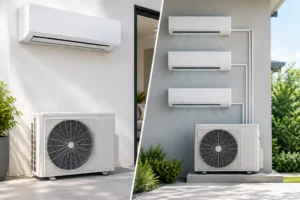
Wall-mounted systems can be an effective and cost-conscious option for smaller server rooms, provided their position and throw are planned properly. Ceiling cassettes, ducted systems or precision cooling may be more appropriate where the room layout is complex, the heat density is high or appearance and noise need careful control. There is no single best format for every installation.
Rack arrangement should be reviewed at the same time. Keeping equipment fronts facing the cool-air path and allowing clear return-air routes can improve performance without increasing cooling capacity. Cabling, stored boxes and temporary equipment should not obstruct grilles or restrict the airflow around outdoor condensers.
A survey should identify where heat is building up, not just where the wall thermostat is located. Temperature sensors positioned at relevant rack heights give a more useful picture than relying on one reading near the door.
Controls, monitoring and maintenance protect the investment
An upgraded system should be easy to monitor and manage. A basic temperature display is useful, but it does not provide much warning of an emerging problem. Alarm functions, remote monitoring and high-temperature alerts can give facilities teams time to respond before equipment reaches a critical condition.
Settings should be practical rather than extreme. Driving the room unnecessarily cold raises energy use and can create a false sense of security if airflow is poor. The required operating range should reflect the manufacturer guidance for the installed IT equipment, with a clear alert threshold and escalation plan if temperatures rise.
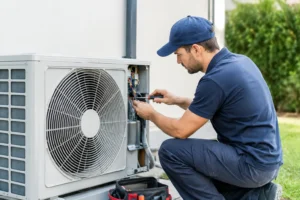
Maintenance is equally important. Server room air conditioning often works for long hours throughout the year, including periods when office comfort cooling would normally be off. Filters, coils, fans, refrigerant operation, electrics and condensate systems all need regular inspection. A planned maintenance visit can identify worn parts, blocked drains or deteriorating performance before a fault affects the room.
For sites with more than one unit, maintenance can be scheduled carefully so cooling remains available throughout the visit. It is also sensible to test changeover controls and alarm notifications rather than assuming they will work when needed.
Plan the installation around business continuity
A server room upgrade needs careful timing. Turning off cooling for several hours may not be possible during normal working periods, particularly in summer or where equipment cannot be shut down. An experienced contractor will discuss access, installation routes, electrical requirements and commissioning before work begins.
Temporary cooling may be appropriate while a replacement system is installed, although this depends on the room’s load and the scope of the project. In other cases, a new unit can be installed and commissioned alongside the existing system before the older equipment is removed. This can reduce risk and provide useful extra resilience during the transition.
Do not overlook the outdoor unit location. It needs adequate airflow, safe access for servicing and a position that meets noise and planning considerations. A poorly located condenser can reduce efficiency and make future maintenance harder than it needs to be.
For a dependable result, Essex Air Conditioning can assess existing server room cooling, calculate the required capacity and recommend a practical upgrade based on the room’s operational needs. The aim is not to sell the largest system available, but to provide reliable cooling, clear maintenance access and a level of backup that suits the business.
The best time to plan an upgrade is while the existing system is still keeping the room stable. A free survey gives you the chance to identify weak points, budget properly and make changes on your terms rather than during an urgent breakdown.