A server room can look calm while its cooling system is close to failure. A gradual rise in temperature, a poorly positioned rack or a blocked condenser can put expensive IT equipment under strain long before anyone sees an alarm. Understanding server room cooling requirements helps business owners and facilities managers protect uptime, data and hardware rather than reacting to a costly outage.
For a small comms room or a larger on-site server environment, cooling is not simply about making the room feel comfortable. It is about removing a predictable and continuous heat load, controlling airflow and having a plan if the primary system stops working.
What temperature should a server room be?
Most server rooms should be maintained within a stable operating range of around 18°C to 27°C, with many businesses aiming for approximately 20°C to 24°C at the front of the server racks. The correct target depends on the equipment manufacturer’s guidance, the density of the racks and the room’s wider operating conditions.
The key word is stable. Frequent temperature swings can be as unhelpful as a consistently high reading. A room that is cool in the morning but rises sharply during a busy afternoon, for example, may be undersized for its actual load or have an airflow problem.
Avoid relying on a wall thermostat alone. It may be positioned away from the equipment and record a comfortable room temperature while the top of a rack is considerably warmer. Temperature sensors should be placed where the equipment draws in air, particularly around the front of racks and at higher levels where heat can collect.
Humidity matters too
Humidity control is part of effective server room cooling. Air that is too dry can increase the risk of static discharge, while high humidity can create condensation risks and contribute to corrosion over time. A relative humidity level broadly around 40% to 60% is commonly suitable, provided the system prevents condensation and maintains a consistent environment.
In practice, temperature and humidity should be considered together. Cooling a room aggressively without suitable control can create excessively dry conditions. Conversely, a system that struggles to remove moisture may leave the room feeling cool but still expose equipment to an unsuitable environment.
Calculate the real heat load before choosing a system
The most common cooling mistake is selecting a unit based only on the size of the room. Server rooms are not cooled according to floor area alone. They are cooled according to the heat produced by the equipment inside them.
Servers, switches, routers, storage devices, UPS units and power distribution equipment all give off heat. Almost all electrical power consumed in the room eventually becomes heat, so a proper assessment starts with the equipment’s power draw. A rack drawing 3 kW of electricity will produce roughly 3 kW of heat that the cooling system must remove, before allowing for lighting, people and heat entering through walls or ceilings.
A professional survey should account for current equipment as well as planned expansion. Installing a system that only just meets today’s load may look cost-effective initially, but it can become inadequate after a new server, UPS upgrade or additional rack is installed. Allowing sensible spare capacity is usually the better long-term decision.
Why cooling capacity is not the whole answer
A high-capacity air conditioning unit will not solve every issue. If cold air cannot reach the front of the racks, or hot exhaust air is recirculating back into equipment, servers can still overheat.
The cooling design needs to match the layout. In a compact comms room, this may mean placing an indoor unit to direct conditioned air towards the equipment intake without creating damaging hot or cold spots. In a larger room, rack arrangement, cable management and return-air paths become more significant.
Equipment should ideally draw cool air from the front and discharge warm air at the rear. Keeping these paths separate reduces recirculation. Even simple improvements, such as blanking unused rack spaces and moving obstructions away from vents, can improve performance when paired with correctly sized cooling.
Continuous operation changes the specification
Unlike an office, a server room may need cooling 24 hours a day, seven days a week. That changes both the type of system required and the maintenance plan behind it.
Standard comfort cooling is often designed around occupied hours and fluctuating heat loads. A dedicated server room system must reliably remove heat overnight, at weekends and during colder months when the outdoor temperature is low. It should also be correctly configured for year-round cooling operation.
For many installations, an inverter-driven split air conditioning system is a practical option. It can adjust output to match changing demand, offering efficient operation at part load. However, suitability depends on the room, required redundancy, building restrictions and the criticality of the equipment. A single small comms cabinet has different requirements from a business relying on on-site servers for daily operations.
Plan for failure, not just normal conditions
If a server room supports critical services, one cooling unit may represent an avoidable single point of failure. Consider whether a second unit, often arranged as duty and standby, is needed. In this setup, one system normally operates while the other is available to take over or shares the running hours to reduce wear.
Redundancy costs more at installation, but the right level depends on the consequence of downtime. A room supporting telephone systems, security, customer records or production equipment may justify standby cooling. For less critical equipment with a quick cloud-based failover, a monitored single system may be acceptable. The decision should be based on business risk rather than a one-size-fits-all rule.
Power resilience also needs attention. If the servers are protected by a UPS or generator but the air conditioning is not, the room could still overheat during a power interruption. Review the cooling system’s electrical supply as part of the wider continuity plan.
Monitoring gives you time to act
A cooling system does not need to fail completely to create a problem. A dirty filter, refrigerant issue, failing fan or blocked outdoor coil can reduce capacity slowly. Without monitoring, the first warning may be an equipment shutdown.
At minimum, use independent temperature and humidity monitoring with alerts sent to the right people. Alerts should be meaningful and staged. A warning threshold gives someone time to investigate, while a higher critical threshold triggers an urgent response. It is also sensible to monitor outside normal working hours, because cooling faults do not wait until Monday morning.
The alert process matters as much as the sensor. Decide who receives notifications, who can access the room and who is authorised to arrange an emergency repair. A temperature alarm is only useful if there is a clear response plan.
Maintenance is a cooling requirement, not an optional extra
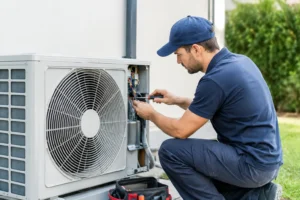
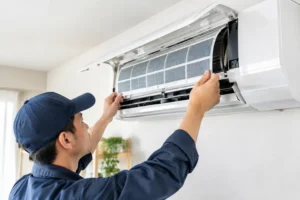
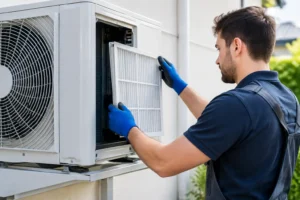
Server room air conditioning works harder than many comfort cooling systems. Continuous operation means filters, coils, drains, fans and electrical connections need regular inspection. A planned maintenance visit can identify reduced airflow, drainage issues or early component wear before they become an outage.
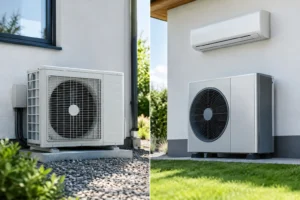
Maintenance frequency depends on operating hours, the room environment and the system type, but critical systems often benefit from at least two checks each year. Rooms near dusty workshops, loading areas or external air contaminants may need more frequent attention. The outdoor unit also needs clear airflow, with no leaves, stored materials or other obstructions restricting the coil.
Keep records of service visits, temperature trends and any alarms. These records help identify a developing issue and make future capacity decisions easier when the IT estate expands.
Common issues that undermine server room cooling
Several practical problems repeatedly cause avoidable overheating:
- Using a comfort cooling unit that is switched off outside office hours.
- Sizing equipment from room dimensions instead of the actual IT heat load.
- Positioning sensors away from the racks where temperatures are highest.
- Allowing hot exhaust air to circulate back to server intakes.
- Installing no backup cooling for business-critical rooms.
- Skipping maintenance until the system develops a fault.
A server room does not need an unnecessarily complex installation, but it does need a cooling design based on the equipment, operating hours and consequences of failure. A site survey can establish the real heat load, check airflow and identify whether resilience or monitoring improvements are needed. For businesses across Essex, Essex Air Conditioning can provide practical advice and a properly specified solution before a cooling concern becomes an IT emergency.