A server room can look quiet while its equipment is working close to its limit. When heat builds up, the first warning may be slow performance, unexpected shutdowns or a failed switch that disrupts the whole business. This guide to server room cooling explains what a dependable cooling setup needs, how to spot common weaknesses and when professional design support is the sensible next step.
Why server room cooling needs a different approach
IT equipment produces a steady and concentrated heat load. Servers, switches, storage devices, UPS units and network hardware may be running around the clock, often in a compact room with little natural ventilation. Unlike a typical office, the room may also be unoccupied for long periods, meaning overheating can develop before anyone notices it.
Comfort cooling is not always enough. A wall-mounted air conditioning unit chosen only by the room’s floor area may be undersized once the heat output of the equipment is considered. Equally, a large system that repeatedly switches on and off can waste energy, struggle to manage humidity and wear sooner than expected.
The aim is not to make the room as cold as possible. It is to maintain a stable operating environment that protects equipment, controls running costs and gives the business time to respond if a fault develops.
Start with the real heat load
The first stage of server room cooling is calculating the heat generated inside the space. Every device using electricity releases most of that energy as heat. The equipment specification will usually state power consumption in watts, which can be used to estimate the required cooling capacity.
A professional survey should consider more than the equipment currently installed. It should allow for planned server upgrades, additional network hardware, UPS batteries, lighting, people working in the room and heat entering through walls, roofs or glazing. In a small comms room, even a modest equipment upgrade can materially change the cooling requirement.
Location matters as well. An internal room may retain heat with nowhere for it to escape, while a top-floor plant or server room can gain substantial heat through the roof during warm weather. For Essex businesses, a system that appears adequate during milder months can be exposed during a summer heatwave, particularly where equipment runs continuously.
Cooling capacity is commonly expressed in kW. The correct figure should come from a proper heat-load assessment rather than an estimate based on the physical size of the room. This helps avoid two expensive outcomes: a system that cannot keep up, or one that costs more to install and run than necessary.
Do not overlook the UPS
A UPS is often essential for business continuity, but it also contributes heat. Battery backup equipment, chargers and power distribution units should be included in the calculation, particularly where the UPS is positioned in the same room as the servers. If battery capacity is expanded later, reassess the cooling provision at the same time.
Airflow is as important as cooling capacity
A correctly sized air conditioning system can still perform poorly if air cannot move through the room properly. Cool air needs a clear path to the front of server racks, while warm air exhausted from the rear of equipment must be able to return to the indoor unit without immediately mixing back into the intake.
Poor airflow creates hot spots. One rack may be within the desired temperature range while another runs noticeably warmer because heated air is trapped behind it. Cables, boxed stock, furniture and badly positioned units can all obstruct circulation.
Where practical, arrange racks so that equipment fronts face a cooler aisle and rears face a warmer return path. Blank panels in unused rack spaces can also reduce air recirculation. In smaller rooms, the solution may be simpler: move obstructions, improve the unit position or alter the airflow direction. The right choice depends on the room layout and the density of the equipment.
Avoid relying on an open door as a cooling strategy. It introduces uncontrolled air, increases humidity changes and leaves the room vulnerable when the building is closed. Extract fans are not usually a substitute for dedicated air conditioning either. They may remove some hot air, but they do not provide consistent temperature or humidity control and can draw in warm, dusty outdoor air.
Choosing the right air conditioning system
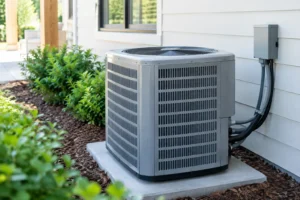
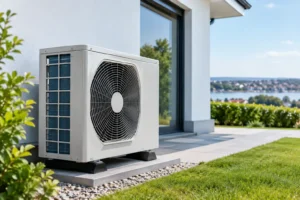
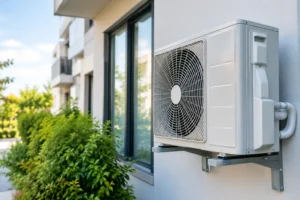
For many small and medium-sized server rooms, a dedicated split air conditioning system is a practical and cost-effective option. It separates the indoor cooling unit from the outdoor condenser and can provide reliable, targeted temperature control without affecting the rest of the building.
The system should be selected for continuous operation, not just occasional summer use. Inverter-driven equipment is often well suited because it can adjust output to match demand rather than simply running at full capacity and stopping. This supports steadier temperatures and can reduce unnecessary energy use.
Larger rooms, higher heat loads or more critical operations may need more than one indoor unit, a ducted arrangement or a purpose-designed precision cooling solution. Precision systems provide tighter environmental control, but they are not automatically necessary for every business. The correct approach depends on the value of the equipment, acceptable downtime, room layout and budget.
One unit or two?
A single well-sized unit may be appropriate for a low-risk comms room where a short interruption would be manageable. However, if server availability is critical, a second unit provides resilience. This is often described as N+1 capacity: the room can still be cooled if one unit is offline for repair or maintenance.
Two units can be set up to share the workload and alternate operation. This reduces wear on any one system and ensures both units are regularly proven in service. It costs more upfront, but the cost should be weighed against the disruption caused by an overheated server room. For businesses dependent on hosted systems, trading platforms, security infrastructure or continuous communications, resilience is often a sensible investment rather than an optional extra.
Set sensible temperature and humidity targets
Most modern IT equipment can tolerate a wider temperature range than many people assume, but stable conditions remain preferable. A common target for a server room is around 18°C to 27°C, with many businesses choosing a setpoint around 22°C to 24°C. The equipment manufacturer’s guidance should always take priority.
Setting the air conditioning too low does not provide extra protection. It increases electricity consumption and can create greater differences between room and outdoor temperatures. It may also increase the likelihood of condensation issues if humid air enters the room.
Humidity needs attention too. Very dry conditions can increase static electricity risks, while excessive humidity raises the risk of condensation and corrosion. A correctly specified air conditioning system will remove moisture as part of normal cooling, but unusual building conditions may require a more tailored solution. Water leaks, unsealed service penetrations and poorly managed fresh-air supplies should be investigated rather than masked by continually lowering the thermostat.
Monitoring turns a fault into a manageable issue
Temperature monitoring is one of the most valuable additions to a server room. A basic wall controller tells you the air conditioning setpoint, but it does not necessarily show the temperature at the top or rear of a busy rack where heat may be highest.
Use independent sensors in sensible locations, including around the racks and near the air conditioning return. Set alerts so the responsible person is notified when temperatures exceed a defined threshold. Remote monitoring is particularly useful outside working hours, when a cooling fault could otherwise go unnoticed until the next morning.
Consider monitoring power loss, water detection and air conditioning alarms alongside temperature. These measures do not replace maintenance, but they provide early warning and reduce the chance that a minor fault becomes equipment damage or business downtime.
Maintenance protects cooling performance
Server room air conditioning works harder than a typical comfort cooling system because it may run throughout the year. Filters become dirty, condensate drains can block, refrigerant issues can reduce capacity and electrical components can deteriorate. A unit may still blow cool air while operating well below the performance the room requires.
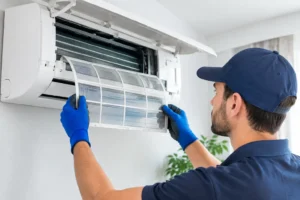
Planned maintenance should include cleaning filters and coils, checking drainage, inspecting electrical connections, confirming refrigerant circuit performance and testing controls. Technicians should also confirm that the unit can achieve the required temperature under load and that any duty-standby arrangement changes over correctly.
Keep the area around indoor and outdoor units clear. Do not store boxes around the condenser or allow leaves and debris to restrict airflow. Inside the server room, make sure staff understand that adjusting the controller, blocking vents or adding heat-producing equipment can affect the cooling balance.
When to arrange a professional survey
A survey is worthwhile if the room feels warm, the existing unit runs constantly, equipment is being added, or there is no backup cooling plan. It is also sensible when converting a cupboard, office or store room into a comms room. The installation may look straightforward, but pipe routes, condensate drainage, electrical supply, outdoor unit siting and access for future maintenance all need to be considered.
Essex Air Conditioning can assess the room, equipment load and operational priorities before recommending a practical cooling solution. A clear survey and no-obligation quotation give you the information needed to make a confident decision without paying for capacity or complexity you do not need.
A well-cooled server room is rarely noticed, which is exactly the point. Put the right design, monitoring and maintenance in place now, and your IT equipment can keep supporting the business when it matters most.